
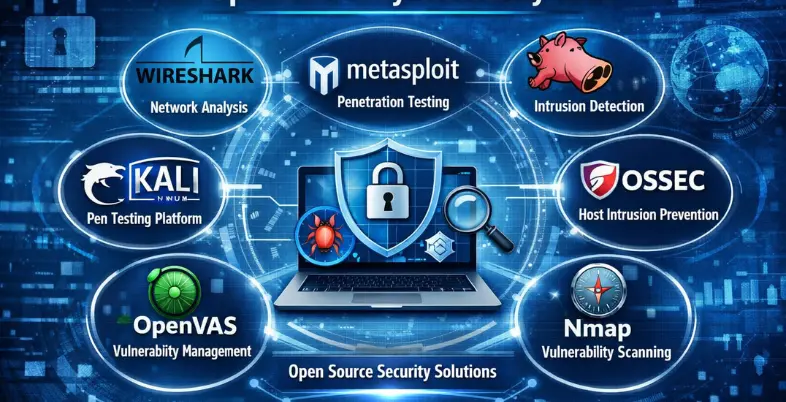
Cyber threats are growing at an alarming rate, putting businesses, organizations, and individuals at constant risk. From data breaches and ransomware attacks to phishing scams and network vulnerabilities, the digital landscape is filled with dangers that can compromise sensitive information and disrupt operations. One of the biggest challenges is that many reliable cybersecurity solutions come with high costs, making it difficult for startups, small businesses, and even independent users to afford strong protection. As a result, many systems remain exposed, relying on weak or outdated security measures.
Open source cybersecurity tools offer a practical and cost-effective solution to this problem. These tools are freely available, highly customizable, and continuously improved by global communities of developers and security experts. They provide powerful features such as vulnerability scanning, network monitoring, threat detection, and incident response—often comparable to expensive commercial software. By leveraging open source solutions, users can strengthen their cybersecurity posture without stretching their budget, while also benefiting from transparency and community-driven innovation.
What Is An Open Source Cybersecurity Tool?
Open-source cybersecurity tools are software programs that are free, aimed at safeguarding systems, networks, and data against cyber threats, whose source is publicly accessible and that any person can view, modify, and release under a license such as a GPL or Apache, making them a key part of Open Source Cybersecurity software solutions. They can be used to verify vulnerabilities, monitor threats in real-time, and respond to attacks without the need to incur licensing fees, as these tools include Nmap, which is a network scanning tool, Wireshark, which is a packet analyzer, Metasploit, a penetration tester, and Wazuh, a security monitoring and SIEM tool.
Their community-based development guarantees frequent updates, the possibility to audit it to find backdoors, and adapt it to particular requirements, which makes them vital in the ethical hacking, compliance, and strong defense strategies in resource-limited settings.
The Need for Cybersecurity Services and Tools
The services and tools in cybersecurity are necessary to mitigate the increasing cyber threats aimed at the data and operations. They assist organizations in keeping secret information, business continuity, and regulations.
- Rising Cyber Threats: Ransomware, phishing, and malware are hacking attacks that are increasingly sophisticated and frequent, targeting both big and small companies. Those organizations that lack proper defenses are susceptible to a data breach that exposes information about customers and intellectual property.
- Data Protection Needs: The data that is sensitive, such as personal information and financial data, should not be stored at risk of being stolen or leaked. The encryption tools are used to secure communication and storage, and the vulnerability scanner is used to determine vulnerabilities before exploitation. This eliminates financial losses, which may amount to trillions of dollars in the world by 2028.
- Operational Continuity: Attack downtime interferes with operations and builds no trust. The antivirus programs, endpoint detection software, and firewalls prevent malicious traffic and react to incidents in a rapid manner. Cloud monitoring guarantees the uptime in hybrid environments.
- Regulatory Compliance: Laws such as GDPR and India DPDP Act require very high security levels with massive penalties in case of violation. Auditing, logging, and reporting services are offered to satisfy standards. Privileged access management tools, such as least-privilege access, are used to enforce least-privilege access.
- Cost Efficiency: Active cybersecurity lowers the cost of breach recovery by automating breach recovery and using predictive analytics. The SIEM technologies powered by AI provide scalable defenses that do not necessarily need manual supervision. Prevention will stop higher costs due to accidents.
- Human Error Mitigation: Social engineering is something that employees are usually deceived by; email gateways and training tools prevent phishing. Multi-factor authentication is an addition to passwords. These deal with the weakest links of security chains.
List Of 12 Best Open Source Cybersecurity Tools You Should Know
1.Wireshark
Website:https://www.wireshark.org
Wireshark is a free, open-source network protocol analyzer and one of the most essential open source cybersecurity tools for network analysis and security monitoring. It allows users to capture and inspect packet data traveling across a network or from saved files, helping cybersecurity professionals troubleshoot issues, detect malicious activity or man-in-the-middle attacks, analyze bandwidth, and study protocol behavior. Wireshark is cross-platform, supporting Linux, Unix, macOS, and Windows.
Key Features:
- PCAP offline analysis and PCAP live packet capture.
- Nth-generation analysis of hundreds of protocols supporting decryption (e.g., IPsec, SSL/TLS).
- Innovated filtering, colouring, and statistical software, including flow graphs.
- XML, CSV, and text are multi-platform compatible.
Pros:
- Detailed protocols views and views.
- Free and real-time/ offline.
- Extremely good at anomaly detection.
Cons:
- Resource consuming on high-bandwidth networks.
- Long learning curve for new entrants.
- High privileges have security risks.
- Wireshark is fully open-source (no paid versions), and includes a basic usage scheme that is freemium-like.
2. Suricata

Website:https://suricata.io
Suricata is an open source and free cybersecurity platform developed by the Open Information Security Foundation that serves as one of the most powerful Open Source Cybersecurity software available today. It functions as a high-performance network intrusion detection engine, offering real-time intrusion detection (IDS), intrusion prevention (IPS), and network security monitoring (NSM). Suricata scans network traffic using robust rules and signature language to detect abnormalities and threats, including malware and policy violations. It is multi-gigabit, multi-threaded, and compatible with major operating systems such as Linux, Windows, and Unix.
Key Features:
- High-speed traffic inspection Multi-threaded architecture.
- Endorses IDS, IPS, and NSM modes that are rule-based in their detection.
- Automatic detection of HTTP, TLS, FTP, and SMB protocols on any port.
- Lua custom detection and sophisticated logging (JSON/Eve).
- PCAP file analysis, file extraction, and hardware acceleration.
- Works with such rulesets as Emerging Threats and Snort VRT.
Pros:
- Scalable and high-performance.
- Lua customization and extensive protocol support.
- Free core with flexible outputs (JSON/PCAP).
Cons:
- Strict rules may lead to false positives.
- On heavy traffic, high CPU/memory consumption.
- High cost of acquiring tuning.
Price:
- Suricata is a fully open-source (no licensing fees) tool.
3. Zeek (Bro)
website:https://zeek.org.
Zeek or Bro is an efficient, free-software-based network security tools and monitoring tool that is a passive-mode network traffic scanner that displays comprehensive network logs and signs of suspicious network behavior, instead of merely using signature-based intrusion detection. First introduced by Vern Paxson in the 1990s, it is particularly good at deriving application-layer meaning out of protocols, allowing inference of network behavior to a great depth to aid threat hunting and forensics.
Key Features:
- Immediate traffic statistical analysis, including detailed log.
- Languages: Scripting language, or custom policies and anomaly detection.
- Deep inspection protocol analyzers of numerous protocols.
- Tracking network connections and events, to high state.
- The encryption traffic analysis is supported through indicators, such as JA3 fingerprints.
Pros:
- Free and open-source, and well supported by the community.
- Very adaptable to tailor security requirements.
- Good at behavioral threat detection.
Cons:
- Slower learning curve on account of scripting dependency.
- Inefficient when it comes to very large volume networks compared to multi-threaded alternatives.
- Implementation and support may be complicated.
- Zeek is also an open-source program that is totally free and does not require any form of licensing.
4. Arkime
website: https://arkime.com
Arkime is an open-source, large-scale, full-packet capture (PCAP) and network traffic analysis system, making it one of the most powerful open source cybersecurity tools for deep network visibility. It captures, indexes, and searches network traffic in standard PCAP format, helping security teams with detailed investigations and faster incident response. Designed to work alongside existing tools like SIEM and IDS/IPS, Arkime allows analysts to search, reassemble, and replay sessions across thousands of systems—even at multi-gigabit per second traffic speeds.
Key features
- Line rate packet capture and indexing (up to many gigabits per second).
- Browsing, searching, and exporting of sessions and PCAPs in a web-based interface.
- Lush metadata indexing (IPs, ports, protocols, TLS, HTTP, DNS, ASN, GeoIP, etc.).
- Horizontal scaling distributed, clustered architecture of a large number of sensors.
- Supports Elasticsearch/OpenSearch to store and quickly search metadata.
- PCAP download API and session metadata download API in JSON to be automated and integrated.
- Additional modules: Cont3xt (context enrichment), WiseService (threat-intel integration), Parliament (Multi-cluster management).
Pros:
- No license fees; free and open source.
- Full packet with metadata storage.
- Very scalable to large networks and high-speed connections.
- Fits well with the current security ecosystems (IDS, SIEM, etc.).
- A hunting and searching interface that is easy to use and web-based.
Cons:
- Full-packet capture has high disk and compute requirements.
- Elasticsearch/ OpenSearch requires configuration and tuning.
- Slower learning curve as compared to more basic packet-capture devices.
- Mainly concerned with PCAP-based visibility, rather than with alerting or prevention.
Price:
- Arkime is free and open source; no paid license is required for core functionality.
5. Metasploit Framework
website: https://www.metasploit.com
Metasploit Framework is an open-source, penetration-testing, Ruby-based platform and one of the most widely used Open Source Cybersecurity software It helps security professionals develop, test, and execute exploit code on remote systems to identify and validate vulnerabilities in a controlled and ethical way. Compatible with tools like Nmap, it offers a vast collection of exploits and payloads, making it highly valuable for vulnerability research, red-team operations, and cybersecurity training.
Key features:
- Modular, open-source exploits development and vulnerability research platform.
- Inbuilt command-line interface (msfconsole) and large exploit/payload library (thousands of modules).
- Allows post exploitation software like Meterpreter to interact and collect data with the system.
- Bonds with network scanners such as Nmap and is able to import scan results to be exploited.
- Allows module and payload customization to various operating systems and situations.
Pros :
- Free and open, good for learning and research.
- Extremely huge and continually growing exploit/payload library.
- Extremely extensible and programmable for complex pentesting procedures.
Cons:
- Complexity makes the steep learning curve by the beginners.
- Some of the modules might be out of date when vendors fix the vulnerabilities.
- Should not be abused by people not trained as authorized and ethical professionals.
Price:
- The open source version of the Metasploit Framework is free to use.
6. Nmap
Website: https://nmap.org
Nmap (Network Mapper) is a free, open-source network security tool and one of the most widely used open source cybersecurity tools for network discovery and security auditing. It helps administrators and penetration testers identify live hosts, open ports, running services, operating systems, and potential vulnerabilities by sending specially crafted packets and analyzing the responses. Nmap is essential for mapping networks, detecting security gaps, and strengthening overall network defense.
Key features:
- Live device discovery (get network and host information within an IP range).
- Port scanning in various scan options.
- Service and version detection (determine which open ports contain which software and which version).
- Fingerprinting of the operating system and device (estimate OS and device type).
- Packet-crafting and firewall/IDS evasion.
- Nmap Scripting Engine (NSE) of custom scripts (vulnerability checks, automation, etc.).
- Cross-platform (Windows, Linux, macOS, BSD).
- Front-end in the form of graphs, which can be accessed through Zenmap.
Pros:
- Without a license fee and free and open source to use personally or in an organization.
- Very powerful and flexible for network discovery and security auditing.
- Very programmable and scriptable for complex applications.
- Big community, extensive documentation, and tutorials.
- Operates on various operating systems.
Cons:
- Slow mastering curve, particularly command-line options.
- Have trigger alarms on firewalls and IDS/IPS in case the scans are too aggressive.
- There are other sophisticated functions that need the root/admin.
- Is network-intensive on big networks.
- Can be used widely to do unauthorized scanning (legal/ethical risks).
Price :
- Nmap is open source and free to use.
7. OWASP ZAP
Website: https://www.zaproxy.org
OWASP ZAP (Zed Attack Proxy) is a free Application Security Testing Tool and one of the most effective Open Source Cybersecurity software for testing web security. Developed by the OWASP Foundation, it is widely used for penetration testing to identify vulnerabilities in web applications. It works as a proxy, allowing users to intercept and analyze HTTP/HTTPS traffic, enabling automated detection of issues such as XSS, SQL injection, and broken authentication, along with support for detailed manual testing for deeper analysis.
Key Features:
- Active and passive testing of vulnerability (XSS and SQL).
- Intercept proxy browser to app.
- Technology- Automated crawler/spider to search through the structure of the site and unveil hidden pages.
- Payload testing-input fuzzer.
- Complete API for automation and CI/CD.
- Customizable reporting and scan policies.
- Friendly and professional mode GUI and CLI.
Pros:
- Free and open-source.
- Community-driven updates.
- Extensive coverage of vulnerabilities.
- Easy browser integration.
Cons:
- Advanced is difficult to use in terms of the learning curve.
- False positives are common.
- The manual for result parsing is tedious.
- Resource-heavy on large apps.
Price:
- Free (open-source).
8. Kali Linux
Website: kali.org.
Kali Linux is a free, Debian-based Linux distribution and one of the most comprehensive open source cybersecurity tools designed for cybersecurity professionals, white-hat hackers, and penetration testers. Developed and maintained by Offensive Security, it includes over 600 specialized tools for security auditing, network scanning, digital forensics, reverse engineering, and wireless attacks. Kali Linux also offers a live boot option to run directly from a USB, configurable ISOs, and cross-platform compatibility, making it a versatile platform for both security testing and training.
Key Features:
- More than 600 ready-to-use tools in penetration testing (e.g., Nmap, Metasploit, Wireshark).
- USB encryptable, bootable, and persistently live.
- Memory kernel, security patches, and broad hardware support.
- Bi-lingual and completely customizable interface.
- ARM, cloud (AWS/Azure), Docker, and NetHunter on Android.
Pros:
- Free and open-source.
- Large toolset and community support.
- Very adaptable and mobile.
Cons:
- Slower and heavier consumption of resources.
- Not suitable for a general desktop.
- A long learning curve to become an amateur.
Price:
- Kali Linux is completely free (price: $0),
9. Dradis Framework
Website:https://dradis.com
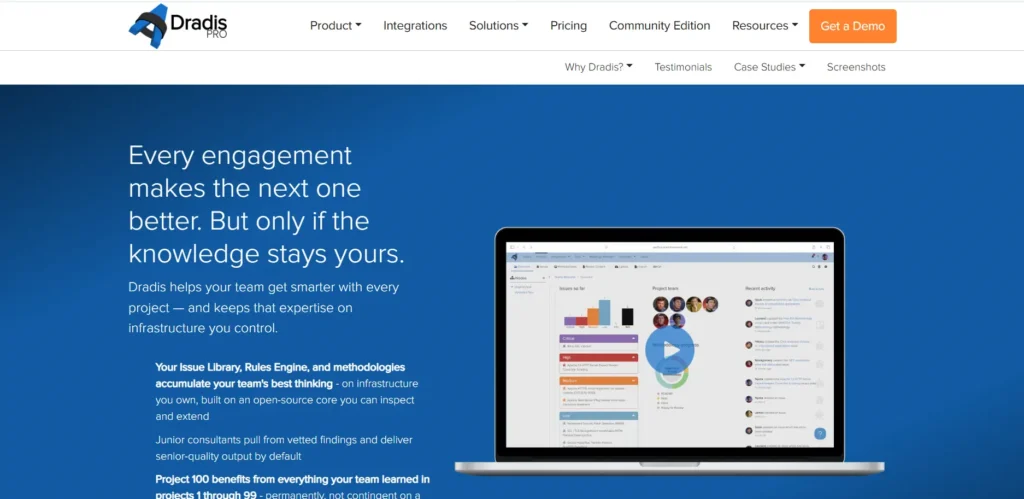
Dradis Framework is a free and collaborative platform designed for security teams, making it one of the most useful Open Source Cybersecurity software for penetration testing and vulnerability management. Written in Ruby and platform-independent, it acts as a central repository where teams can import and organize data from popular tools like Nessus, Nmap, Burp Suite, Metasploit Framework, and OpenVAS. It enables users to structure findings into notes and issues, collaborate with team members in real time, generate professional, consistent reports in formats like Word, HTML, and PDF, and serves as a robust Application Deployment Tool for managing security testing environments.
Key Features:
- An internet interface to conveniently access and work with the team anywhere.
- The imports/exports data are funded through the use of tools like Burp, Nessus, Nmap, Metasploit, Nikto, and others.
- Markup of styles, images and links, easy report generation with Word and HTML.
- Search, ranking by severity/status/labels, and multitask assessment control.
- Webhooks, complete API and custom workflows.
Pros:
- Free Open-source CE version (GPLv2).
- Elastic self-deployment (cloud/on-prem/air-gapped).
- Powerful tool integration and time-saving automation.
Cons:
- Pro edition is costly ($79-$299/user/month).
- Advanced customization is very steep to learn.
- Upkeep of self-hosted settings.
Price:
- Community: Free Forever
- Assess:$299/mo
- Remediate:$599/mo
10. OpenVAS
Website: https://www.openvas.org
OpenVAS is a powerful vulnerability scanner and one of the most reliable open source cybersecurity tools. Developed by Greenbone Networks as an open-source fork of Nessus, it performs comprehensive security assessments by scanning networks, hosts, and applications for known vulnerabilities. It uses regularly updated Network Vulnerability Tests (NVTs) and supports both authenticated and unauthenticated scanning across a wide range of protocols, making it highly effective for identifying and managing security risks.
Key Features:
- NVT vulnerability scanning of 50,000 or more, and updated daily.
- Target and protocol scan policies that can be customized.
- Extravagant reporting, including severity ratings and export facilities.
- Web-based management interface (GSA).
- Large networks support authenticated scans and performance tuning.
Pros:
- Free and open-source core.
- Big society and high levels of configurability.
- Good for small businesses.
Cons:
- High learning curve and false positives.
- Little support as compared to commercial tools.
- Slower scans on large setups.
Price:
- Core software is free; enterprise subscriptions begin at around $2500/year (e.g., OpenVAS Basic).
11. ClamAV
Website: https://docs.clamav.net
ClamAV is a free, open-source antivirus system and one of the most widely used Open Source Cybersecurity software for malware detection. It helps identify threats such as viruses, worms, trojans, and other malicious software, especially on Unix-like systems and mail gateways. ClamAV includes a multi-threaded scanning daemon (ClamD) for scalable performance, a command-line scanner, automatic virus database updates, and a shared library engine for integration with other applications. It is cross-platform and works on operating systems like Linux, Windows, and macOS.
Key Features:
- High-performance scanning (Multi-threaded daemon (ClamD))
- Automatic database updates and scanner through the command line.
- Live protection (Linux on-access scanning).
- Identifies millions of malware, Office macros, and mobile threats.
- Email support, archive support, and heuristic analysis.
Pros:
- 100 percent free and open-source (GPLv2).
- Light and easy to use on servers.
- Community-driven updates.
Cons:
- Text-based; obtrusive interface.
- Real-time scanning (only on Linux, limited).
- No official support, manually configured.
Price:
- Free (open-source core).
12. YARA
website:https://virustotal.github.io/yara/
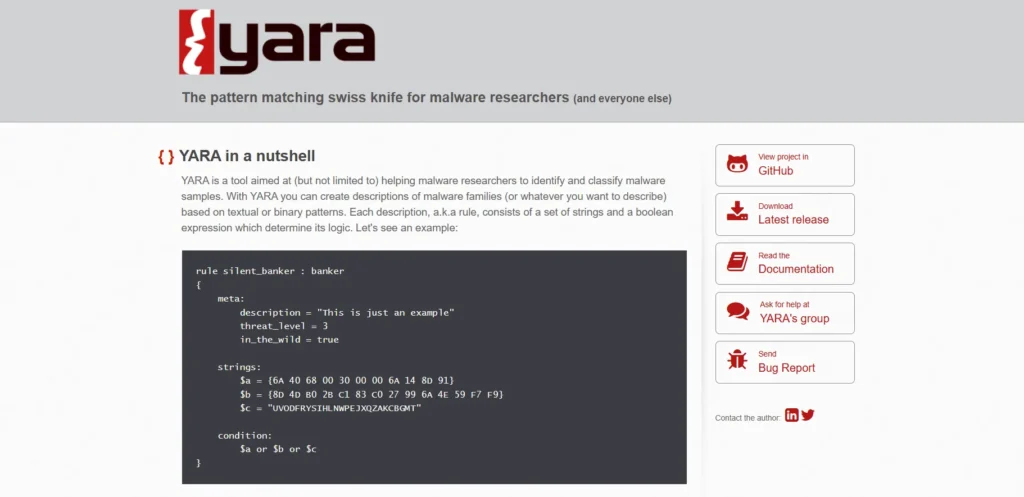
YARA is a powerful open-source pattern-matching engine and one of the most effective open source cybersecurity tools for detecting and classifying malware, suspicious files, and other objects. It allows researchers and analysts to create custom patterns using a domain-specific language to search files or memory for text or binary patterns, such as strings, regular expressions, or file formats. YARA is widely used in malware research, incident response, and digital forensics across platforms like Windows, Linux, and macOS.
Key features:
- Cross-platform (Windows, Linux, MacOS) as well as open-source.
- Pattern-based detection: textual and binary.
- Supports regular expressions, wildcards, and complex logical statements in the rules.
- CLI and support using yara Python using yara-python.
- Threat-intel feeds and programmed scan-feed are often used as malware hunters.
Pros:
- Much customizable, threat-specific.
- It is small and does not take long to scan a lot of files.
- Complex community-based collections of regulations.
Cons:
- Brings talent to create effective rules with low false-positives.
- Ineffective in detecting malware that is highly polymorphic or artificially intelligent, that contains no significant static pattern.
- Intensive in scanning large datasets or a large number of rules.
Price:
- Free and open (no cost of the license).
Comparision Table
| Software Name | Price | Free Plan | Best For |
| Wireshark | Free | Yes (complete) | Network protocol analysis and packet capture |
| Suricata | Free (core); optional rules $30+/year | Yes (complete core) | High-performance IDS/IPS and network threat detection |
| Zeek (Bro) | Free | Yes (complete) | Network security monitoring and behavioral analysis |
| Arkime | Free | Yes (complete) | Large-scale packet capture and traffic search |
| Metasploit Framework | Free (open-source edition) | Yes (complete) | Penetration testing and exploit development |
| Nmap | Free | Yes (complete) | Network discovery, port scanning, and auditing |
| OWASP ZAP | Free | Yes (complete) | Web app vulnerability scanning and pentesting |
| Kali Linux | Free ($0) | Yes (complete) | Penetration testing and an ethical hacking platform |
| Dradis Framework | Free (Community Edition) | Yes (CE forever) | Pentest collaboration and reporting |
| OpenVAS | Free (core); enterprise $2,500+/year | Yes (complete core) | Vulnerability scanning and assessment |
| ClamAV | Free | Yes (complete) | Antivirus and malware scanning |
| YARA | Free | Yes (complete) | Malware pattern matching and identification |
Conclusion
Open source solutions provide efficient and cost-effective protection, making Open Source Cybersecurity Tools a smart choice for securing systems, data, and networks without relying on expensive proprietary software. From vulnerability scanners and SIEM tools to penetration testing suites and password managers, these tools help individuals and organizations strengthen security, automate processes, and stay ahead of evolving threats. With the added benefit of a strong community and transparent code, choosing the right combination of tools allows you to build a powerful and flexible security setup that is easy for beginners to understand and robust enough for advanced users.
FAQs
Q1. What Are Open Source Cybersecurity Tools?
Open-source cybersecurity tools refer to software security tools in which the source code is open-source, i.e., any person is at liberty to inspect the software, edit it, and publish it. They have been applied in vulnerability scanning, intrusion detection, network monitoring, and penetration testing.
Q2. Why Would I Apply The Open Source Security Tools Instead Of The Paid Ones?
Open-source software is usually non-commercial, highly adaptable, and open, and therefore is ideal for learning, small teams, and organizations that have narrow financial capacities. They also have the added benefit of community contributions, and improvement of bug fixing and features could be sped up.
Q3. Are Open Source Security Tools Secure Against Use?
The community can report the vulnerabilities to them and inspect them, and the software can be fixed as the code can be inspected, ensuring the best practices are adhered to, including the upkeep of a secure configuration, and ensuring that the software is patched on a regular schedule.
Q,4. What Are The Things That I Need To Know To Select An Appropriate Open Source Tool?
You are basing it on your use case (e.g., penetration testing or a continuous vulnerability scan, or log monitoring), the level of your team, integration (CI/CD, SIEM, cloud), and the level of activity of keeping the project running.
Q.5. Is There An Opportunity To Integrate Open Source And Commercial Security Platforms?
Numerous open-source tools may feed reports or logs into commercially-provided SIEM, ticketing, or DevOps pipeline (through APIs, Syslog, or plug-in), and can therefore be utilized to add to an already-existing enterprise security stack.