

In the era of the digital world, a proper choice of email service can have a great influence on your personal and professional communication. Whether it’s business correspondence, keeping in touch with friends and family, or everyday activities, it’s essential to have a reliable email system that works. The Best Email Providers not only offer the delivery of messages but also have a high security level, large storage capacity, integrated use with productivity tools, and easy interfaces that allow easy communication.
As there are numerous opportunities on the market, it is essential to learn what email service fits your particular requirements and consider features, storage capacity, security measures, and general functionality. This is a detailed list of the best email systems across all user needs, privacy-conscious consumers, and the small business owner who might be in need of a business communication solution.
What are Email Providers?
Email providers refer to Internet-based services that help users to send, receive, and control messages that are in an electronic format. These applications provide web-based mail inboxes that are accessible using web browsers or specialized applications, which makes communication across devices easy. Email services nowadays are not primitive messaging but integrate state-of-the-art functions such as spam filtering, cloud storage capability, calendar syncing, and managing contacts.
Best Email Providers are characterised by high-quality security, availability, user-friendly interfaces, and full-fledged customer support. They may be freemium-based, where their basic functionality is free, with premium upgrade features available to access more functionality. Starting with pre-existing services of billions of users to dedicated services that cater to privacy and encryption, email services are a basic means used by individuals, businesses, and organizations all across the globe.
Why Best Email Providers are Important
It is important to pick the appropriate email service in our globalized world, where virtual communication is the basis of personal and business relationships. The Best Email Providers provide features impacting productivity, security, and user experience in general. Quality email services secure your sensitive information against cyber attacks and guarantee quality delivery of messages and reduced downtimes.
- Storage Capacity: Storage capacity is enough to make sure you do not lose any important messages or attachments in an unwanted manner.
- Security: High-level encryption and protection ensure your personal and professional data is not violated.
- User Interface: The interface is easy to use and can help you navigate quickly and spend less time on your inbox.
- Integration Capabilities: Uninterrupted connectivity with productivity tools simplifies the working process and improves functionality in general.
- Reliability: Stable uptime and reliable service guarantee that there will be no lapses of communication when you require it most.
Pros of Best Email Providers
The Best Email Providers are associated with many benefits that change the way we communicate and organize digital correspondence. These sites have spent a lot of money coming up with features that counter contemporary communication issues, such as an overcrowded inbox to advanced cyber attacks. With this knowledge of the benefits, users can enjoy the usefulness of these services in their everyday communication with technology.
- Enhanced Security: Multi-factor authentication, end-to-end encryption, and sophisticated spam filters are also a feature of online email suppliers that ensure that users are not exposed to malicious users and unauthorized access.
- Big storage capacity: Best locations offer massive storage capabilities, typically on the scale of gigabytes or terabytes, and will allow their users to save years of communication without worrying about loss.
- Cross-Platform Accessibility: Premium email services allow access to all desktop computers, smartphones, and tablets, which implies that communication will be seamless, regardless of what device and location one is located.
- State-of-the-Art Organization: Intelligent search, automatic sorting, customizable folders and advanced filter systems help users to maintain their inboxes neat and to locate a specific message incredibly quickly.
- Integration Ecosystem: Fluent Integration with calendars, cloud storage, document editors, and productivity applications creates integrated digital desktops that are more efficient and incur less overhead costs of platform switching.
Cons of Best Email Providers
Despite all its advantages, even the Best Email Providers may have certain shortcomings and drawbacks, which the user should not disregard. The awareness of these potential traps will enable us to be realistic and make the correct decisions when selecting an email service. Such disadvantages vary according to the providers and may produce varied effects on the users concerning their needs and interests.
- Storage Sharing Limitations: Some of these most popular services share storage space across a variety of products, i.e., photos, documents and emails, therefore they are competing to utilize the same space which might require frequent cleaning or upgrades.
- Privacy Problems: Certain free email providers fund their services by gathering data and sending ads, which can be an issue to users with a high regard to their privacy and little data monitoring.
- Minimal Free Service: Many sites only allow higher features to be used at higher levels with paid services such as custom domains, more storage, or more security features.
- Interoperability Problems: A few of the email services used by specialists have problems with interoperability, and they cannot integrate with third-party services or easily transfer data across various platforms.
- Advertisement Intrusion: Free email typically puts advertising in the interface, which is visual noise and can easily draw attention out from key messages.
Also Read: Best Network Security Tools
Top 10 Best Email Providers
1. Proton Mail
Website: https://proton.me/mail
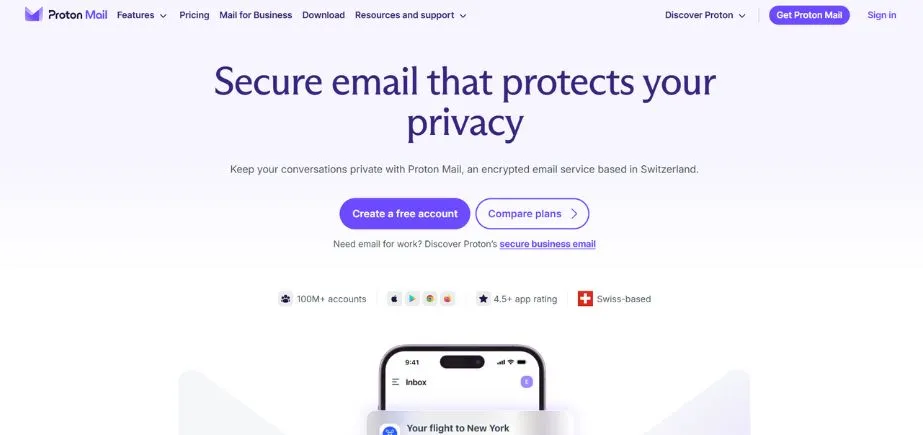
Proton Mail is the most favored solution for users who are concerned with privacy and security in their online interactions. This Swiss-based email service transforms secure communication with the use of client-side encryption that secures the message before sending.
Proton Mail does not allow tracking pixels and IP addresses to be seen, unlike traditional email systems, which allow advertisers to collect personal data. The service features password-protected messages, which is not common with the free versions, which provides an extra level of security to sensitive messages.
Even though Proton Mail is security-oriented, it is still user-friendly with a well-structured inbox using labels, folders, and filters. Its broad search feature lets it look at the contents of the entire message instead of limiting searches to subject line and sender information. Being one of the most secure email providers of all time, Proton Mail proves that both the powerful encryption and the convenience do not have to be opposed.
Key Features:
- End-to-end encryption standard
- Tracking pixel blocking
- Password-protected messages
- Advanced search functionality
- Zero-access encryption architecture
Pros:
- Exceptional privacy protection
- No third-party tracking
- User-friendly interface design
Cons:
- Limited third-party integration
- Smaller storage capacity
- No IMAP/SMTP support
Pricing: Free plan with 1GB storage; paid plans start with additional features and storage expansion.
2. Outlook.com
Website: https://www.microsoft.com/
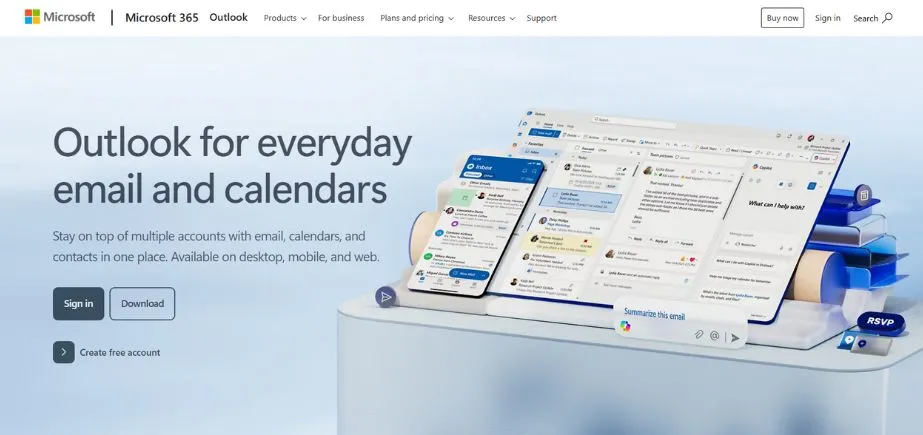
Outlook.com (previously Hotmail since its launch in 1996) is the all-purpose web-based communication system of Microsoft, integrating email capabilities, contacts, tasks and calendar. The most outstanding feature of the service is its Focused Inbox, where machine learning algorithms are used to process the incoming messages and rank them in order of importance.
Intelligent sorting puts key communications in the Focused tab and sorts the rest of the messages as less important under the Other category, which can be accessed with a single click. Outlook.com has a variety of email signatures, email message templates, and a wide range of inbox customization features. It has built-in Sweep rules which allows it to be used to manage inbox contents automatically.
Outlook.com offers separate email storage and does not share storage with the one drive cloud storage like competitors do. The platform is highly integrated with the Microsoft ecosystem and therefore one that suits people who are interested in Microsoft products and services.
Key Features:
- Focused Inbox automation
- Advanced Sweep rules
- Multiple signature support
- Template message creation
- Microsoft ecosystem integration
Pros:
- Intelligent email sorting
- Dedicated storage allocation
- Cross-platform application availability
Cons:
- Advertisement-supported free version
- Occasional spam filtering issues
- Limited external service compatibility
Pricing: Free plan with 15GB storage; Microsoft 365 subscriptions offer enhanced features.
3. Yahoo Mail
Website: https://login.yahoo.com/
One of the earliest email services that influenced the digital standards of communication is the Yahoo mail which was introduced in 1997. The most remarkable aspect of the platform is its staggering storage limit of 1TB for everyone using it for free, which is magnitudes higher than those of the competition. This abundant quota renders Yahoo Mail unusually appropriate when it comes to storing long messages, maintaining numerous accounts, or a large quantity of attachments in a mailbox without the fear of storage.
The service has a simple Web interface, which accepts keyboard shortcuts and numerous productivity features. The Views section of Yahoo Mail allows you to abandon inbox search temporarily and find messages with photos, documents, receipts, or a particular type of attachment quickly. There is a wide range of customization features that enable users to customize inbox layouts and color schemes in both desktop and mobile systems. Although it uses advertising to sustain its free model, it pays with powerful functionality, which is an effective use by casual and power users alike.
Key Features:
- 1TB storage capacity
- Views attachment filtering
- Keyboard shortcut support
- Customizable interface themes
- Cross-device synchronization
Pros:
- Massive storage allocation
- Excellent customization options
- Attachment-based message sorting
Cons:
- Advertisement presence throughout
- Past security vulnerabilities
- Inconsistent spam filtering
Pricing: Free with 1TB storage; premium plans available with additional features.
Explore More: Best EDR Tools for Advanced Threat Detection
4. Gmail
Website: https://mail.google.com/mail/u/0/
The first email service, Gmail, introduced by Google in 2004, monopolizes the market with more than 1.2 billion active users across the world. It is popular because of its simplicity, effective spam protection, and the chance to integrate with the rest of the large Google product portfolio, such as Drive, Docs, and Calendar.
The platform includes advanced functionality such as email templates, various signature switching, and one of the most efficient search tools of the Best Email Providers, allowing its users to find messages irrespective of their age. Gmail is much superior in terms of keyboard shortcut features, where one can navigate and perform actions without the need to use a mouse.
The service gives 15GB of free storage, but this space is shared with other Google services, meaning that photos and documents take up space in email. The streamlined mobile applications of Gmail also guarantee any kind of consistency in cross-derivation of devices, and the text editing feature provides professional emailing. Its spam filter has some flaws, but it is still of industry-leading effectiveness.
Key Features:
- Advanced search capabilities
- Email template creation
- Multiple signature management
- Extensive keyboard shortcuts
- Google ecosystem integration
Pros:
- Industry-leading user base
- Superior search functionality
- Excellent mobile applications
Cons:
- Shared storage limitations
- Occasional spam filter inaccuracies
- Privacy concerns around data
Pricing: Free with 15GB shared storage; Google One subscriptions expand storage capacity.
5. Neo

Website: https://www.neo.space/
Neo is also an excellent choice under the category of Best Email Providers since it provides the perfect solution to small businesses and entrepreneurs requiring professional email addresses. The unique service of the platform is the one-page website creation tool, which users can use without domains, which establishes brand credibility and offers corresponding email addresses.
The setup process of Neo is focused on speed and simplicity, and the tools are user-friendly and enable the growth and strengthening of brands. Neo Smart Write is an AI-based writing assistant that can create messages to be sent in a few minutes, depending on the required tone, length, and content that the user specifies. This is the main feature, in addition to the option of sending a schedule, email templates, read receipts, and follow-up reminders, that in particular is oriented towards busy freelancers, small enterprises, and influencers.
The interface of Neo allows viewing multiple accounts at any given time, which increases the productivity of users who use different professional identities. Nevertheless, the site does not analyze perpetual free plans anymore but offers a 15-day trial after which one has to choose a subscription.
Key Features:
- Smart Write AI assistant
- Free one-page website
- Read receipt tracking
- Follow-up reminder system
- Multi-account viewing capability
Pros:
- AI-powered email composition
- Professional brand establishment
- Business-focused feature set
Cons:
- No permanent free plan
- Limited offline functionality
- Feature restrictions in lower tiers
Pricing: 15-day free trial; paid plans required thereafter with tiered feature access.
6. iCloud Mail

Website: https://www.icloud.com/mail
iCloud Mail is a free email application provided by Apple and best fits the customers who are heavily engaged in the Apple ecosystem. To create an address in the form of an @icloud.com, it is necessary to use iOS devices or Mac computers using iCloud settings, and subsequently, the service will work with both macOS and iOS systems.
This integration makes it possible to check emails with ease across iPhones, iPads, and Mac computers without any problems of data synchronization. In addition to integrating well into the ecosystem, iCloud Mail stands out due to its outstanding customer support, which provides phone and chat support at any time of day or night, which is often not the case with free email software.
Apple Support app offers more troubleshooting options, which give users immediate access to the support team. The service also offers one-click unsubscribe, advanced search features, and 5GB free storage. Nonetheless, it is exclusively Apple-based; therefore, it is not as accessible to users having non-Apple devices, and the ability to organize inboxes is elementary in comparison with the rivals. To the lovers of Apple, iCloud Mail is a convenience in itself.
Key Features:
- Apple ecosystem integration
- One-click unsubscribe function
- Advanced search tools
- 24/7 customer support
- Apple Support app integration
Pros:
- Seamless Apple device synchronization
- Excellent support for accessibility
- Straightforward user interface
Cons:
- Apple device exclusivity
- Limited organizational features
- Modest storage allocation
Pricing: Free with 5GB storage; iCloud+ subscriptions provide storage expansion.
7. Zoho Mail
Website: https://www.zoho.com/mail/
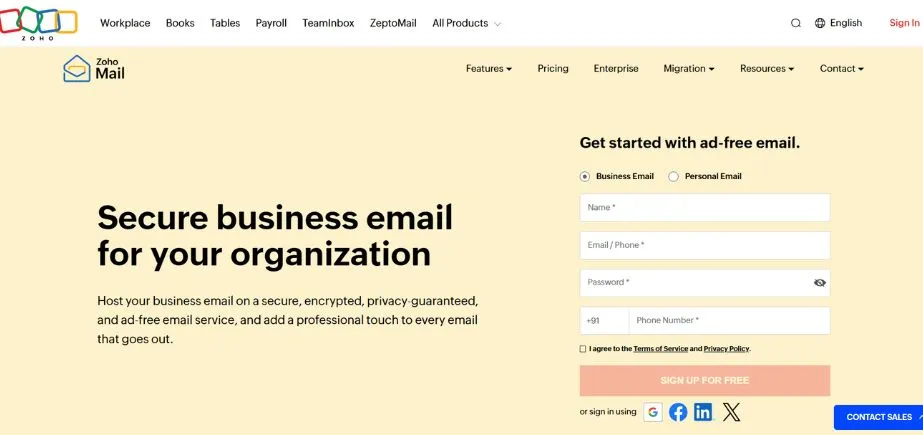
Zoho Mail is a business level and security-conscious business email platform in the Zoho business cloud suite, where the business-level service and security are prioritized. Unlike other consumer-based websites, Zoho Mail has simplified the process of establishing a custom domain email address, and this is what renders the platform attractive to business customers in need of professional correspondence solutions.
The platform is also concerned with security by providing encryption, two-factor authentication, anti-spam filters, and antivirus as well to prevent confidentiality and integrity of communication. Zoho Mail offers an affordable storage capacity of 5GB/ user on free subscriptions, suitable for the needs of small businesses. Other than email, Zoho accounts are used to manage calendars, take notes, create tasks, and organize contacts using a single dashboard.
Zoho Mail can be used on the go through the Android and iOS mobile apps. The site would be a good selection to the best email marketing services amongst business persons and small firms that require the use of professional tools of communication at enterprise level.
Key Features:
- Custom domain support
- Two-factor authentication security
- Integrated office suite
- Comprehensive antivirus protection
- Mobile application accessibility
Pros:
- Strong security features
- Professional email addressing
- Unified productivity platform
Cons:
- Moderate free storage
- Learning curve complexity
- Limited consumer-focused features
Pricing: Free plan with 5GB per user; paid plans unlock additional users and features.
8. AOL Mail
Website: https://mail.aol.com/
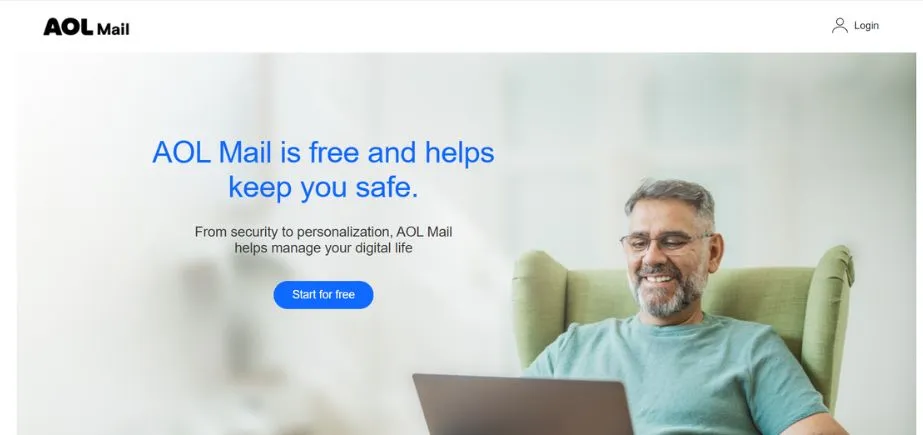
AOL Mail has also been one of the best email marketing services to use in terms of a basic storage-based email service. The platform offers all the basic email features, such as organization of the inbox, spam filtering, and auto-rule creation. Although AOL Mail does not have the cutting-edge features of its newer competitors, the mailing service meets the basic communication and management needs.
The best feature is its excellent storage of 1TB across the board-level users, similar to Yahoo Mail, but unlike its competitors, which have gigabyte limits. This huge storage space is productive in cases where users need to store messages that take a long time, have various inboxes pooled together, or have many attachments, but they do not need to shadow it.
The simple design of the interface makes AOL Mail simple to navigate by a user at any level of technical proficiency, but the lack of AI tools and advanced features might be disappointing to power users. AOL Mail has been a good option among the best email marketing providers when it comes to a simple, storage-based email service.
Key Features:
- 1TB storage capacity
- Automated filtering rules
- Spam protection systems
- Essential inbox organization
- Cross-platform accessibility
Pros:
- Exceptional storage allocation
- User-friendly navigation
- Fundamental security features
Cons:
- No advanced functionality
- Absent AI integration
- Dated interface design
Pricing: Free with 1TB storage; no premium tiers currently offered.
9. Mail.com
Website: https://www.mail.com/
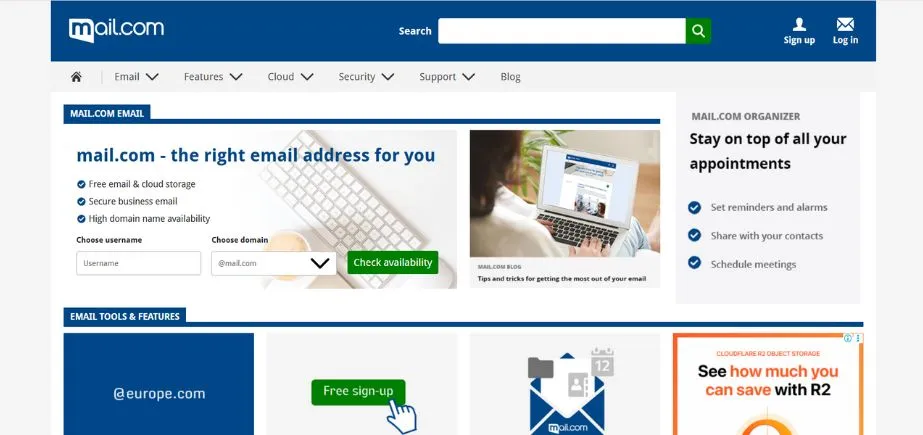
Mail.com markets itself as a simple, no-frills email service to customers interested in simple functionality without the elaborate features offered by a premium email service. The platform does not do great in spam filtering or high-level organization, but allows users to send and receive efficiently without any money or domain requirements.
The main strength of Mail.com is the 30MB size limit on attachments- much higher than the 20-25MB limits of most free offerings. This extra bandwidth comes in handy in the transmission of documents, compressed files, or any other media that nears the standard bandwidth. In addition to its features of the magnificent handling of attachments, Mail.com provides regular services such as built-in calendars, cloud storage, and basic filtering.
The platform offers storage of 65GB, which is adequate for the average user. It does not, however, have unique or innovative tools, just providing anticipated basic email functionality. The existence of the advertisement and security issues are also significant disadvantages, but the service can still be used by users who have simple email needs.
Key Features:
- 30MB attachment limit
- Integrated calendar functionality
- Cloud storage access
- Basic filtering capabilities
- 65GB storage allocation
Pros:
- Larger attachment capacity
- Straightforward interface design
- Adequate storage space
Cons:
- Weak spam filtering
- Heavy advertisement presence
- Security vulnerability history
Pricing: Free with 65GB storage and 30MB attachments; premium upgrades available.
10. Tuta
Website: https://tuta.com/
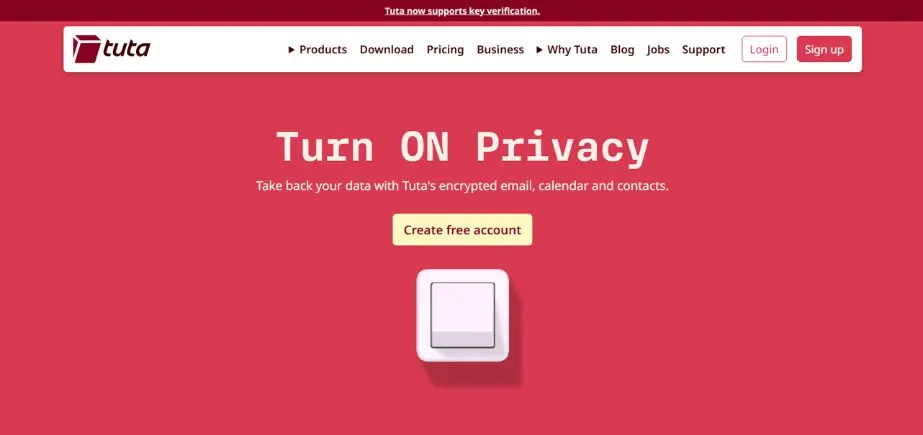
Tuta stands out as one of the Best Email Providers as it has a 100 percent ad-free experience with high levels of security. Unlike the competitors who recover the cost of free services by advertising, Tuta will focus on privacy and security as core services rather than value-added services. The platform offers end-to-end encryption of inboxes, calendars, and contacts, which other platforms normally offer on paid plans.
The encryption Tuta uses is both symmetric and asymmetric, creating arguably the most secure free email environment possible. The collection of information is only done under actual users participation and complex security protocols do not allow tracing in the messages received. The site, in particular, has argued against AI integration due to security issues, possibly disappointing those who are excited about AI, but also succeeded in calming some privacy-concerned users who are also worried about the potential existence of a backdoor.
Tuta has a GB of storage with 25MB levels of attachment, making it suitable for users who are more concerned about security than storage. It has a simple interface, which makes it easy to access even with a complex underlying security architecture.
Key Features:
- End-to-end encryption standard
- Calendar and contact encryption
- Zero tracking technology
- Symmetric and asymmetric encryption
- Consent-based data collection
Pros:
- Ad-free user experience
- Exceptional security implementation
- Privacy-first architecture
Cons:
- Limited storage capacity
- No AI features
- Smaller feature set overall
Pricing: Free with 1GB storage; premium plans expand storage and features.
How to Choose the Best Email Providers
Before choosing a suitable email service, it is important to take a keen consideration of your needs, uses, and priorities. The Best Email Providers differ in their strong features considerably, and the best one is greatly dependent on the specific case. The knowledge of the most important decision factors aids in the elimination of services that do not match your communication needs and lifestyle.
- Storage Needs: Review your normal email volume, frequency of attachments, and your archiving habits. When you frequently get giant files, or when you just want the convenience of having years of emails or other letters available to you, a high-capacity service, like 1TB plans with Yahoo Mail or AOL Mail, works better.
- Security Priorities: Evaluate your vulnerability to privacy issues and data safeguarding requirements. Users of confidential data or those with privacy concerns must value a system such as ProtonMail or Tuta with end-to-end encryption and less tracking. Business users may want to use such a platform as Zoho Mail, which has integrated security with business features.
- Integration Requirement: Which productivity tools and platforms do you utilize regularly? Google users are encompassed within the ecosystem, and as such, the interconnectedness of Gmail and Drive, Docs, and Calendar is highly beneficial. The integration of Outlook.com offers the same benefits to the users of Microsoft products.
- Business vs. Personal Use: The professional users are supposed to value the services that allow them to have their own domain addresses, professional appearance, and business-oriented features. The needs of small businesses are specifically targeted by Neo and Zoho Mail, and appropriate toolsets are offered. The need by entrepreneurs who need to communicate with clients at the face of the business also use professional branding.
- Budget Analysis: Decision to use free functionality or purchase premium features to meet the cost of subscription. Most Best Email Providers have powerful free accounts that are sufficient enough to serve most users, and professional users may need to upgrade to an enhanced version by purchasing extra storage space, better functionality, or ad-free access.
Conclusion
When travelling through the field of Best Email Providers, a variety of solutions to different needs, priorities, and preferences are presented. On privacy-conscious websites such as Proton Mail and Tuta, as well as state-of-the-art mainstream services such as Gmail and outlook.com, the current email market has a solution to virtually every type of user. Neo and Zoho Mail are useful in the business world, whereas Yahoo Mail and AOL Mail have large amounts of storage that business professionals can enjoy.
The best option would be based on personal needs, be it security, integration, storage, or simplicity. Evaluating factors related to the storage needs, security priority, integration requirement, and intended use carefully, the users will be able to find the services that will match their communication objectives perfectly. The correct email service makes the work more efficient, prevents the leakage of sensitive data, and becomes part of everyday digital practice, which is why this choice is central to the successful modern communication process.
FAQs
What email company is the most private?
The best email providers with superior privacy are Proton Mail and Tuta because they provide end-to-end encryption, zero tracking, and high-security standards.
Which are the most recommended providers in business?
Neo, Outlook.com, and Zoho Mail are all well-suited to business when needing to use their own domains, professional services, and integrating features that cater to the needs of an entrepreneur.
What email service has the highest storage capacity?
Both Yahoo Mail and AOL Mail offer 1TB of storage to free users, which is far more than their competitors offer as the best email providers.
Are there any best email providers that charge a fee?
A majority of the Best Email Providers have free plans with sufficient functionality, paid plans have higher storage capacity, additional functionalities, and they exclude advertisements.
Continue Exploring: Best LinkedIn Marketing Tools